What is Spot ON?
The parking space navigational plug-in designed to help inform urban drivers of the status of open parking spaces before they approach them.
Why the need?
Drivers of all types are frustrated with receiving parking violations in busy urban areas. They approach a spot trying to guess its availability by reading poor signage, guessing if a spot is available, or trying to determine if it is even designated for them.
How do we solve it?
Design a system that uses current technology to help reduce driver error when approaching a parking spot, whether on the street or in a garage.
User Goals:
|
Business Goals:
Vertical Divider
|
Paths to implementation:
- EZ-Pass transponders
- Built-in vehicle navigation systems
- External navigation systems such as plug-in-play devices or mobile phones
Who this would affect:
- Daily commuters
- Delivery vehicle and Emergency vehicle drivers
- Taxi services such as Uber and Lyft
- Urban school bus drivers for designated pickup/dropoff
How would it work?
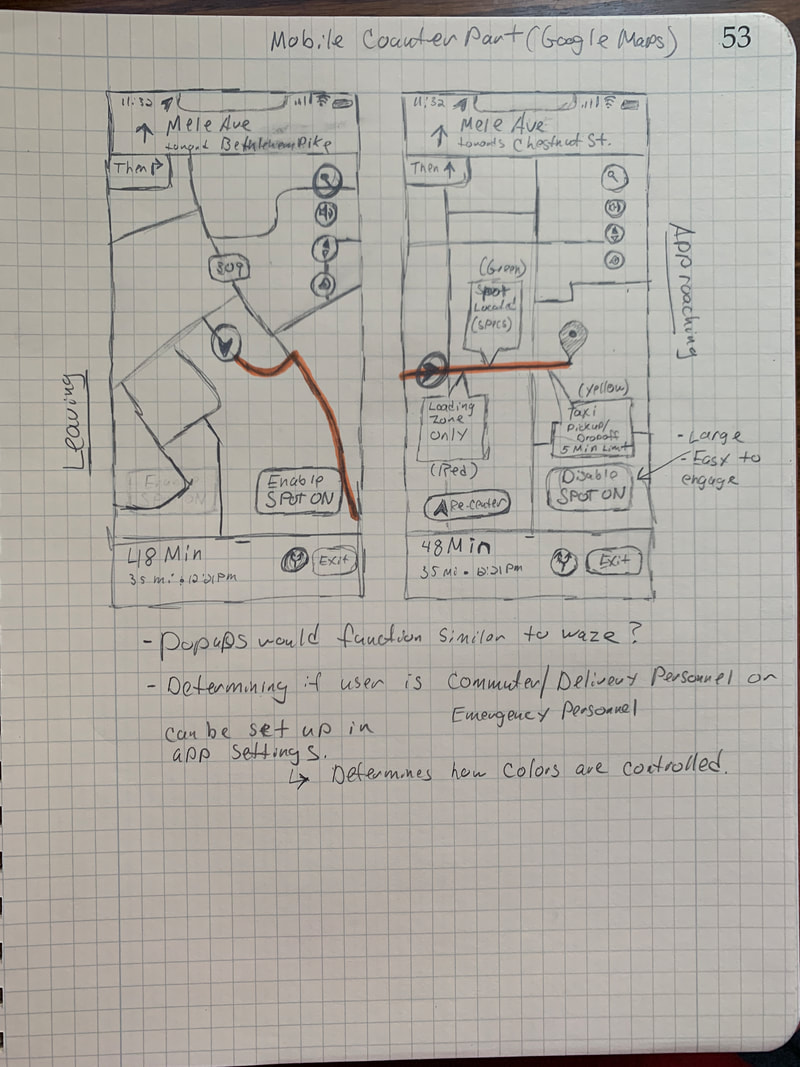
- This app would function as an API that can integrate into popular GPS programs such as Google maps, Apple maps, or Waze.
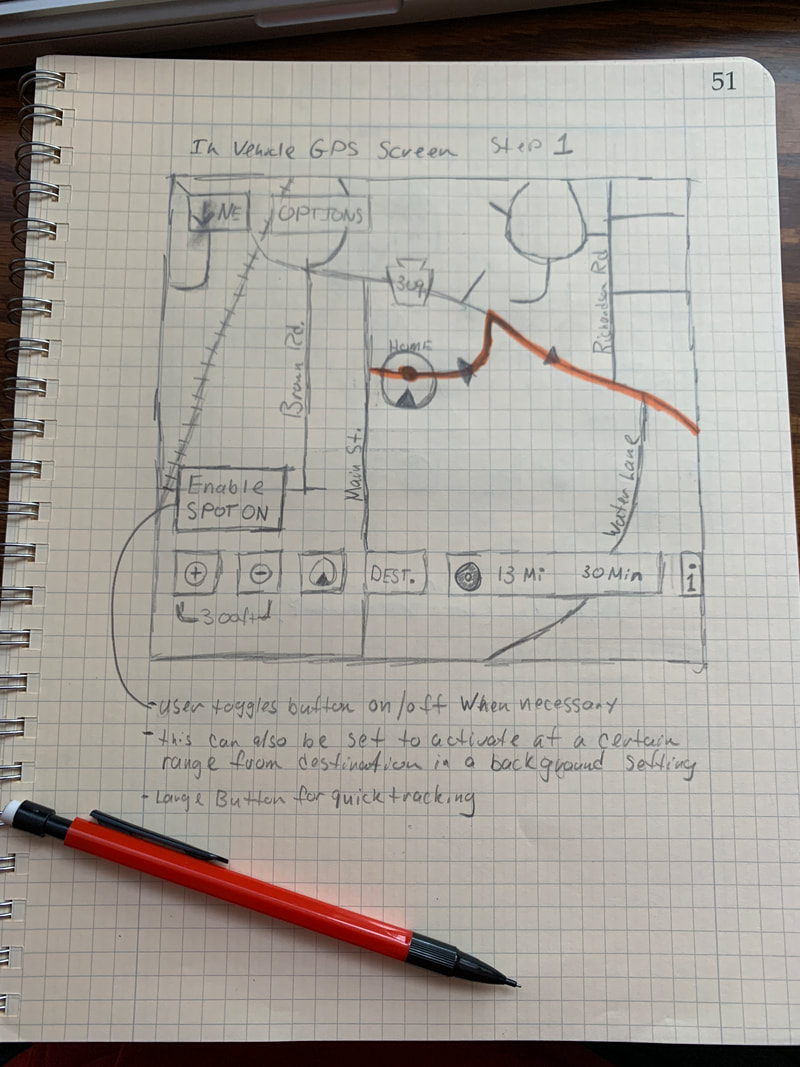
- When necessary, the driver can activate this function while their GPS software is running.
- It would tap into the city’s network of tagged parking spots.
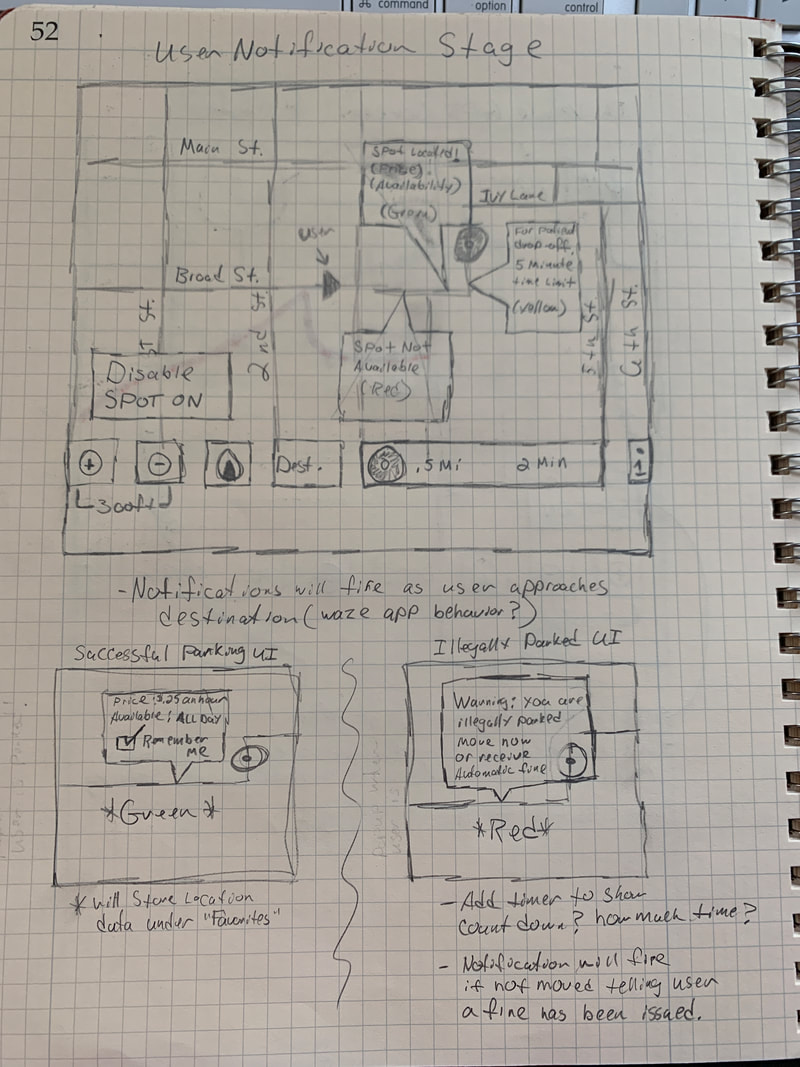
- As a driver approaches spots they see as open, a notification fires with green, yellow, or red notifications allowing them to quickly see the status of a spot, as well as cost, and time of availability.
- If a spot is time/day sensitive (no parking on Sundays), it will use that data from the city’s parking grid to inform the driver.
- Daily commuters will be able to track where their most favorable spots are by selecting a “remember me” option.
- If someone parks in an illegal spot, they will be warned to move to another spot or face a violation
When can it be used?
- It can be used at any time GPS is running in the foreground
- The user can select a button to activate/deactivate the function
- It can also be used in current parking apps such as ParkWiz to complement its parking garage statuses with street-side parking status
Positive outcomes:
- It will dramatically decrease user stress as they can be informed first before making a decision
- It will also decrease perpherial driver stress as the users’ driving habits will improve by reducing the need to slow down and speed up to read poor signage
- Signage is usually in English, so those who don’t speak/read English have the luxury of getting notifications in their native language via their GPS app
- Delivery personnel / school bus driver / emergency responder stress will also decrease due to not finding a vehicle illegally parked in their spots
- The city parking system will be able to change the status of parking spots faster and more efficiently. This could be due to a special event or an emergency situation
- Violations can be issued faster and more accurately by the city as violation notifications will appear on the parking grid with the vehicle registration information
Negative Outcomes:
- There could be communication breakdowns between user and interface
- Infrastructure flaws on the city’s parking grid
- People ignoring the warning signs anyway and doing what they want.
- In the case of violation assessment, a violation could be issued to the wrong party either by user error or by incorrect vehicle registration
- The city’s parking grid system might not be robust enough to handle the necessary data or tagging of parking spaces is incomplete
Below is some sketches i did to get the initial concept on paper.
|
|
|
Research Plan
In an effort to start collecting research for how potential users would interact and understand this product, i put together a research plan to try to understand this part of the process.

| Research-Plan.pdf |
Empathy Map
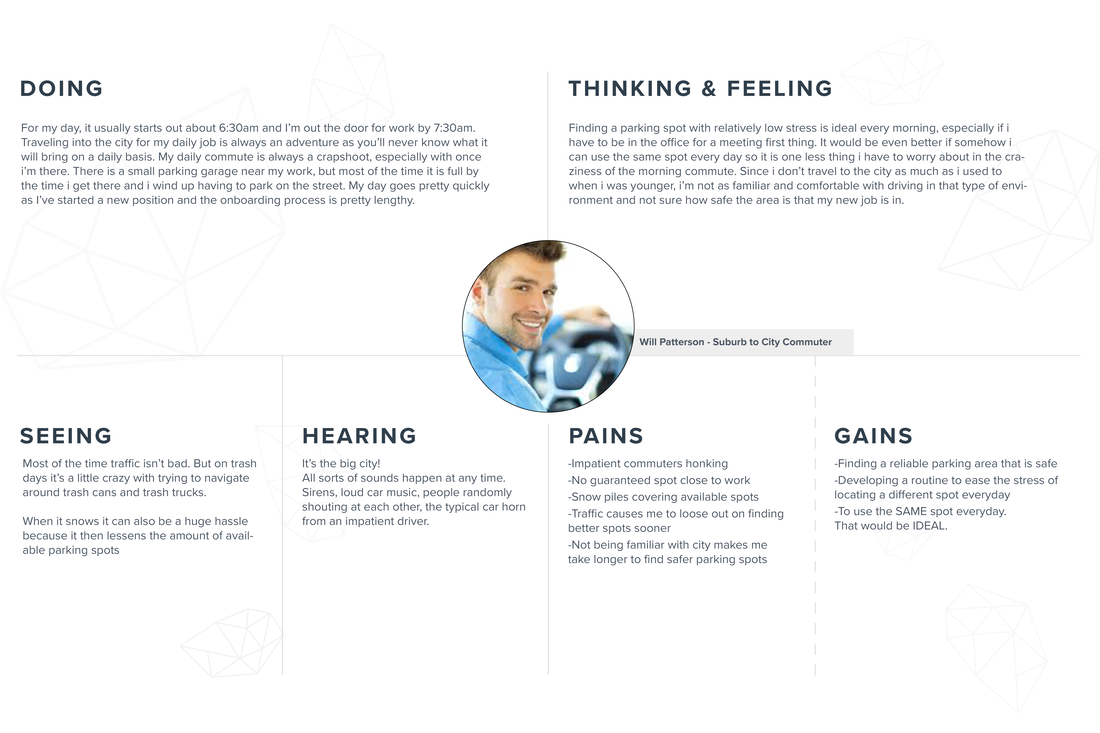
I created an empathy map of Will, my fictional character that lives in a scenario that many people have found themselves in. This was an initial step into wanting to build a more well-rounded world of possible users.
Storyboarding the process
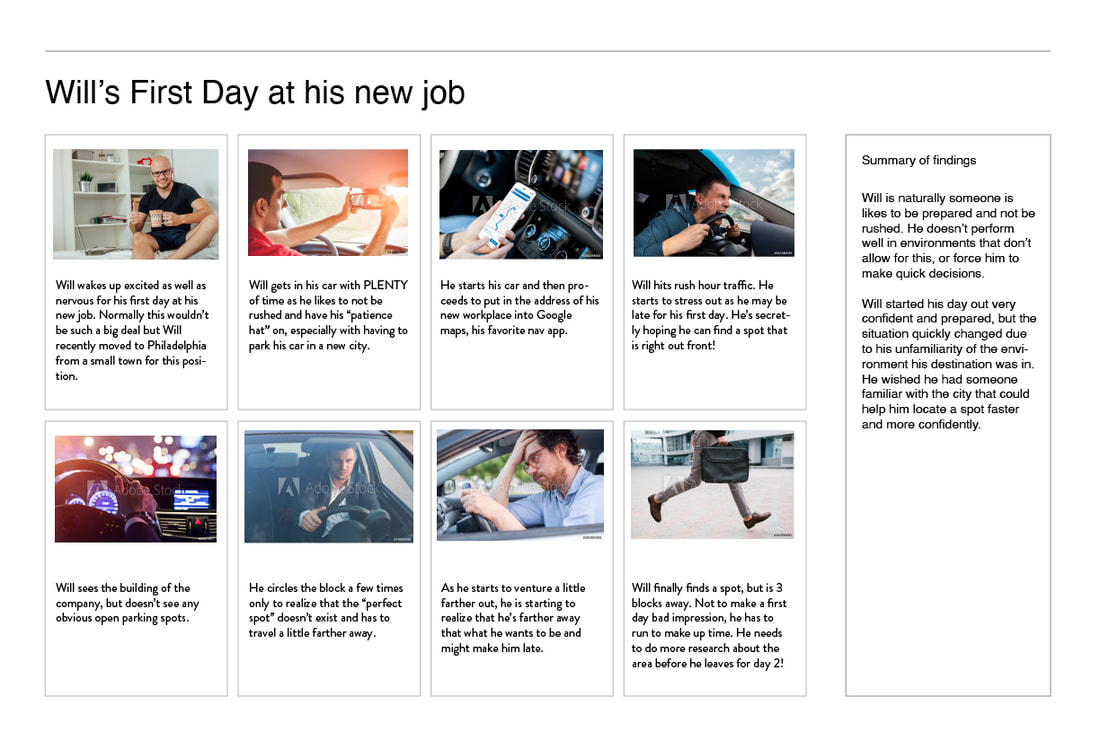
Building what info i created with the empathy map, i wanted to put this into a real world scenario with Will behind the wheel.
Userflows
Userflows were created to start to understand how a user would go through the successful process of using the API, and any pitfalls that would happen during use.
To see in detail, click on the image and it will open in a new browser window.
To see in detail, click on the image and it will open in a new browser window.

POV/HMW Statements
I put together some POV/HMW statements that i shared with associates to get the best idea of how to approach initiatives for designing the product.
| POV-HMW-Statements.pdf |
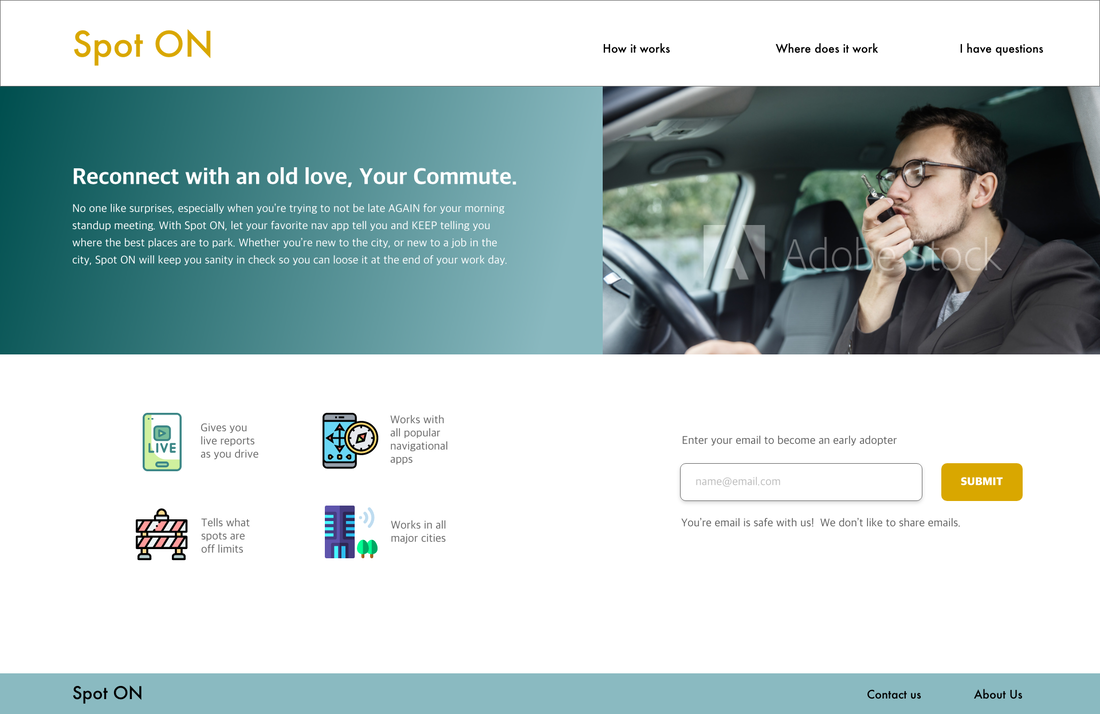
Landing Page Concept
To generate initial interest from potential users, I created this landing page concept to start building a user base.